


.jpg)
.jpg)


 СН4 мал 200.jpg)



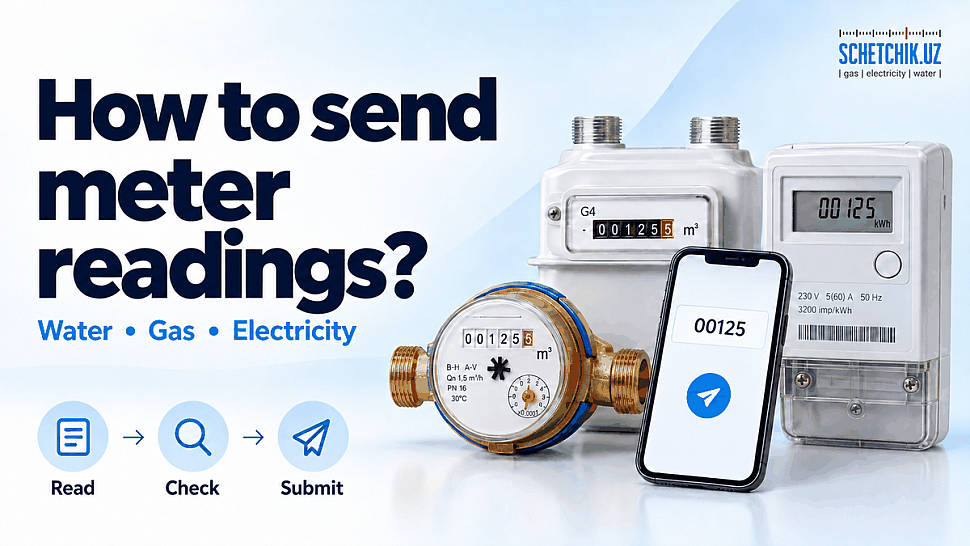
To submit meter readings in Uzbekistan, first identify your utility provider and check whether it already receives readings automatically. Cold water, hot water, natural gas and electricity are recorded in separate systems. Where manual reporting is required, use an official account, application or another channel confirmed by your provider.
Updated: 20 October 2026. This guide is primarily intended for household customers.
Where to submit meter readings
| Utility | Official service | What to check | Contact |
|---|---|---|---|
| Cold water | Oʻzsuvtaʼminot customer account | Your account number, linked meter and availability of reading entry | 1255 |
| Hot water within the Veolia Energy Tashkent service area | Customer account or official Telegram bot | Whether the correct hot-water meter is selected | 1347; +998 71 200-00-56 |
| Electricity | HET customer account; HET Billing Mobile application | The latest recorded reading and its update date | 1154 |
| Natural gas | Official Hududgaztaʼminot services; contact your local gas supplier if assistance is needed | Whether meter data is reaching the billing system | 1104 |
Outside Veolia’s service area, identify your hot-water supplier from your contract or bill. The numbers above are contact channels for enquiries and assistance; whether readings can be accepted by telephone depends on the service.
📌 When should readings be submitted?
Do not apply one reporting deadline to every utility. Check your provider’s reporting period in your contract, customer account or official notice.
Veolia Energy Tashkent recommends submitting readings between the 23rd and 25th of each month. This recommendation concerns its customers and does not establish a nationwide deadline for water, electricity and gas providers.
If your meter reports automatically, check that the readings appear in your account. A reporting date and a payment deadline are separate: submitting a reading does not settle an outstanding balance.
How to read your meter correctly
- Match the meter’s serial number to the number in your account or documents.
- Take a clear photograph showing the reading and serial number.
- Check the measurement unit: water and gas are generally recorded in m³, and electricity in kWh.
- Record the cumulative value. A field labelled “Current reading” normally requires the meter total rather than monthly consumption.
- Enter decimal places according to the form and the meter instructions. Do not rely on digit colours alone.
Example: if the previous water reading was 125 m³ and the current reading is 132 m³, consumption between the two readings is 7 m³. Enter 132 in the current-reading field if the form requires whole cubic metres.
An electronic electricity meter may cycle through energy, power, voltage and other parameters. Select cumulative consumed energy in kWh. For multi-rate metering, report the required registers according to your provider’s configuration.
Submitting cold-water readings
- Open the Oʻzsuvtaʼminot customer account.
- Follow the service instructions to sign in using your utility account number.
- Check the address and meter details.
- If reading entry is available for your account, enter the current value and confirm submission.
- Save the confirmation and check that the new value appears in the history.
If the meter is missing, its details are incorrect or entry is unavailable, contact your local water supplier. Call 1255 to clarify where to direct your request and how to submit the reading.
Submitting hot-water readings in Tashkent
Veolia Energy Tashkent customers can use:
- the customer account;
- the @vet_pokazaniya_bot Telegram bot;
- 1347 or +998 71 200-00-56.
Before submitting, check that you have selected your apartment’s hot-water meter. Cold-water readings must be reported separately to the cold-water supplier.
Checking electricity and gas readings
Electricity
Check the HET customer account or HET Billing Mobile. The application provides access to readings, payments and account status.
If readings remain unchanged for an extended period or differ significantly from the display, contact your district electricity office or call 1154. Ask for the last reading date and whether a verification reading is needed. The existence of an application does not mean that manual entry is necessarily available.
Natural gas
A gas meter connected to an automated system transmits readings remotely. If data is missing, contact your local gas supplier or call 1104. Agree on the procedure for recording a verification reading: manual entry through an account depends on the available function and applicable metering procedure.
⚠️ Why a smart meter may stop reporting
Automatic reporting depends on the meter’s connection, registration in the system and communications. A modem or “smart” label alone does not confirm that the supplier is receiving readings.
Veolia explains that a hot-water meter continues recording consumption during a temporary communications outage, and readings can be accepted manually. Compare the latest update date in your account with the date of your photograph.
Do not open the meter, remove seals or replace its battery yourself. If the display goes blank or shows an error, send your provider a photograph and a description of the fault.
If you submitted an incorrect reading or missed reporting
- Photograph the current reading.
- Prepare your account number, address, meter serial number, date and incorrectly submitted value.
- Contact the provider through an official channel.
- Request a check of the recorded data and the basis of the charges, with recalculation where necessary.
- Keep the reference number and check the outcome in your account.
Billing when readings are unavailable depends on the utility and circumstances. The same average-consumption calculation or automatic correction cannot be promised for every customer.
Businesses may have separate deadlines, reporting forms and requirements for formal records. Check this household guidance against the legal entity’s supply contract.
❓ Frequently asked questions
Click or tap a question to reveal the answer ↓
What should I prepare before submitting a reading?
Have your utility account number, current meter reading and a clear meter photograph ready. Check that the property address and meter serial number match the details in your customer account.
Should I enter the meter total or my monthly consumption?
A field labelled “Current reading” normally requires the cumulative meter total. For example, if the previous reading was 125 m³ and the current reading is 132 m³, enter 132 when whole cubic metres are requested. The difference of 7 m³ is your consumption.
What should I report if I have not used any water or gas?
If manual reporting is required, submit the unchanged cumulative reading. This records that there has been no additional consumption. Do not replace the meter total with zero.
Where can I find my utility account number?
Look on your utility contract, bill or previous payment receipt. Use the account number for the correct supplier and property. The serial number printed on the meter identifies the device and is a different number.
How do I choose the correct digits and units?
Check the unit on the display: water and gas are generally recorded in m³, and electricity in kWh. Enter decimal places in the format requested by the submission form. For an electronic electricity meter, select cumulative consumed energy rather than voltage or power.
How can I confirm that my reading was accepted?
Save the submission confirmation, then check that the new reading and its date appear in your account history. Keep the meter photograph so you can compare the submitted value with the display.
How can I check whether automatic reporting is working?
Open your customer account and look for recent readings and their update dates. Compare them with a dated photograph of the meter. Recent records help confirm that data is reaching the supplier’s system.
Can I request a correction if I entered the wrong reading?
Yes. Contact the supplier through an official channel with your account number, meter serial number, a current photograph and the incorrectly submitted value. Request a data check and any necessary billing correction, and keep the enquiry reference.
Does paying a bill also submit my meter reading?
Payment and reading submission are separate actions. A payment receipt confirms payment, not necessarily an updated reading. If the payment service provides a reading-entry function, check that the value also appears in the supplier’s records.
How should I organise readings for different utilities?
Keep a simple record for each supplier: account number, meter serial number, reading date and cumulative value. Submit cold water, hot water, electricity and gas readings through their respective official services, following each provider’s reporting schedule.
Choosing a meter with remote reporting
Before buying, confirm the model’s compatibility, communications protocol and connection procedure with your utility provider. Establish these requirements before installation.
Explore water meters, electricity meters and gas meters on Schetchik.uz. For a practical consultation, prepare the supplier’s name, a photograph of your existing meter and the connection requirements.


0 comments